Mobile Payments in China: Alipay and WeChat Pay Guide
2,030 words, 11 minutes read time.

travel better
On this page
Welcome to the world of mobile payments in China, where your smartphone is your wallet, and QR codes reign supreme! This comprehensive guide will walk you through setting up and using Alipay and WeChat Pay with international bank cards.
Quick Answer
Most foreign visitors can now pay in China by linking an international bank card to Alipay or WeChat Pay. Set up both apps before or soon after arrival, verify your identity if prompted, and keep a backup payment method because card brand support, limits, and fees can vary by app, issuer, and merchant.
For small everyday payments, mobile payment is usually the smoothest option. Still carry some RMB cash or a physical bank card for hotels, deposits, rural areas, or occasional merchant compatibility issues.
Install both Alipay and WeChat before travel
International card support depends on app, issuer, and merchant
Some small transactions may have fee waivers; check in-app prompts
Carry RMB cash or a physical card
I. Introduction: The Mobile Payment Revolution in China
In China, from bustling megacities to smaller towns, you'll see locals paying for virtually everything – street food, taxis, utility bills, luxury goods, online shopping – using their smartphones. Cash is still accepted (and legally must be), but the overwhelming preference and ubiquity lie with mobile payments.
Benefits for Travelers:
- Convenience: No need to carry large amounts of cash or fumble for exact change.
- Speed: Transactions are typically instantaneous.
- Wide Acceptance: Accepted almost everywhere, often more readily than international credit cards directly at point-of-sale.
- Integration: Often linked to other useful services like ride-hailing, food delivery, and ticket booking within the apps themselves (via mini-programs).
Improved Accessibility for Foreigners:
Recognizing the needs of international visitors, both Alipay and WeChat Pay have enhanced their services to allow foreigners to link their international credit and debit cards, making it much easier to participate in this digital ecosystem.
II. Alipay vs. WeChat Pay: A Quick Overview
While both serve the primary purpose of mobile payments, they originated differently and have slightly different focuses.
Alipay (支付宝 – Zhīfùbǎo)
Origin: Developed by Ant Group, an affiliate of Alibaba (the e-commerce giant).
Strengths: Traditionally strong in e-commerce (Taobao, Tmall), financial services, and larger transactions. Offers a comprehensive suite of financial tools and lifestyle services. Its interface is more focused on financial management.
WeChat Pay (微信支付 – Wēixìn Zhīfù)
Origin: Integrated within WeChat (微信 – Wēixìn), China's dominant messaging and social media super-app, developed by Tencent.
Strengths: Seamless integration with social features (sending money to friends, splitting bills), very popular for everyday small transactions, and a vast ecosystem of “Mini Programs” (apps within WeChat).
Recommendation for Tourists
Ideally, try to set up both. Some smaller vendors might only have one or the other, though most have both.
If you can only set up one, either will generally suffice for most tourist payment needs. Many find WeChat Pay slightly more integrated into daily communication if they are already using WeChat to connect with contacts in China.
III. Essential Preparations Before You Start
Before diving into the setup process, ensure you have the following:
- A Smartphone: An iOS or Android device capable of running the latest versions of the apps.
- Data Access in China: Reliable internet is crucial. Options include:
- International Roaming Plan (can be expensive, check rates).
- Portable Wi-Fi Device.
- Purchasing a Chinese SIM Card upon arrival (highly recommended for stable connectivity and potentially easier app verification).
- A Valid International Credit or Debit Card:
- Visa, Mastercard, American Express, JCB, Diners Club, Discover are commonly supported for linking.
- Ensure your card is enabled for international transactions. Inform your bank about your travel plans to China to prevent your card from being blocked.
- Your Passport: You will need this for identity verification (“real-name authentication”).
- Download the Apps:
- Alipay: Search for “Alipay” on the Apple App Store or Google Play Store.
- WeChat: Search for “WeChat” on the Apple App Store or Google Play Store. WeChat Pay is a function within the WeChat app.
IV. Setting Up Alipay for Foreigners (Step-by-Step)
Alipay has made significant improvements to its international user experience.
-
Download and Install Alipay:
Get the app from your official app store.

-
Account Registration:
Open Alipay. You'll likely be prompted to register.
You can usually register with your international mobile phone number. Select your country code and enter your number. You'll receive an SMS verification code.
Alternatively, if you have a Chinese SIM card, using that number can sometimes be smoother.
-
Set Your Region and Language:
Alipay often detects your system language, but you can usually switch to English if needed. Make sure your region is set to “International” or your specific country if prompted.
-
Identity Verification (Real-Name Authentication – 实名认证 Shímíng Rènzhèng):
This is a mandatory step. You'll usually find this option in your account settings (e.g., “Me” > “Profile”).
You'll need to provide:
- Nationality
- Full Name (as it appears on your passport)
- Passport Number
- Passport Expiry Date
- A photo of your passport's information page
Verification Tip
The verification process can take a few minutes to a few hours. Ensure passport photos are clear and all information matches exactly.
-
Linking an International Bank Card:
Once your identity is verified, go to the “Me” tab, then look for “Bank Cards”.
Tap “Add Card” and enter your international credit/debit card details:
- Card number (Visa, Mastercard, etc.)
- Expiry date
- CVV
- Name on card
- Billing address associated with the card
You may need to verify via a small test transaction or SMS confirmation from your bank.

Understanding Fees and Limits for International Cards
- Transaction fees: As of May 2026, small international-card payments may qualify for platform fee waivers, and WeChat Pay has publicized 3% fee waivers for eligible international-card transactions under RMB 200. For larger payments, app/platform fees may appear, so always confirm the in-app prompt before paying.
- Transaction limits: Per-transaction and cumulative limits can vary by app, card issuer, verification status, and merchant category. The app normally displays limits or prompts during setup and payment.
- Practical tip: For hotels, deposits, and higher-value purchases, keep a physical card and some RMB cash as backup instead of relying on one mobile wallet.

V. Setting Up WeChat Pay for Foreigners (Step-by-Step)
The process is similar to Alipay, but within the WeChat ecosystem.
-
Download WeChat and Register Account:
If you don't already use WeChat, download it and register an account using your mobile number (international numbers work).
-
Accessing WeChat Pay (Wallet):
Once registered, find the “Pay” or “Wallet” function under “Me” > “Services”.
Agree to terms to activate WeChat Pay if prompted.
-
Identity Verification:
Navigate to “Me” > “Services” > “Wallet” > “Identity Information”.
Provide passport details and upload passport photos as with Alipay.
-
Linking an International Bank Card:
In “Wallet” > “Cards”, tap “Add a Card”.
Enter card details and complete verification (may require SMS confirmation).
Alipay vs WeChat Pay Setup Comparison
- Both require passport verification
- Similar card linking processes
- WeChat Pay is nested within social app
Pro Tip
Complete setup before arriving in China to avoid connectivity issues during verification.
VI. How to Make Payments: The QR Code Dance
Once your card is linked and verified, you're ready to pay! There are two main payment scenarios:
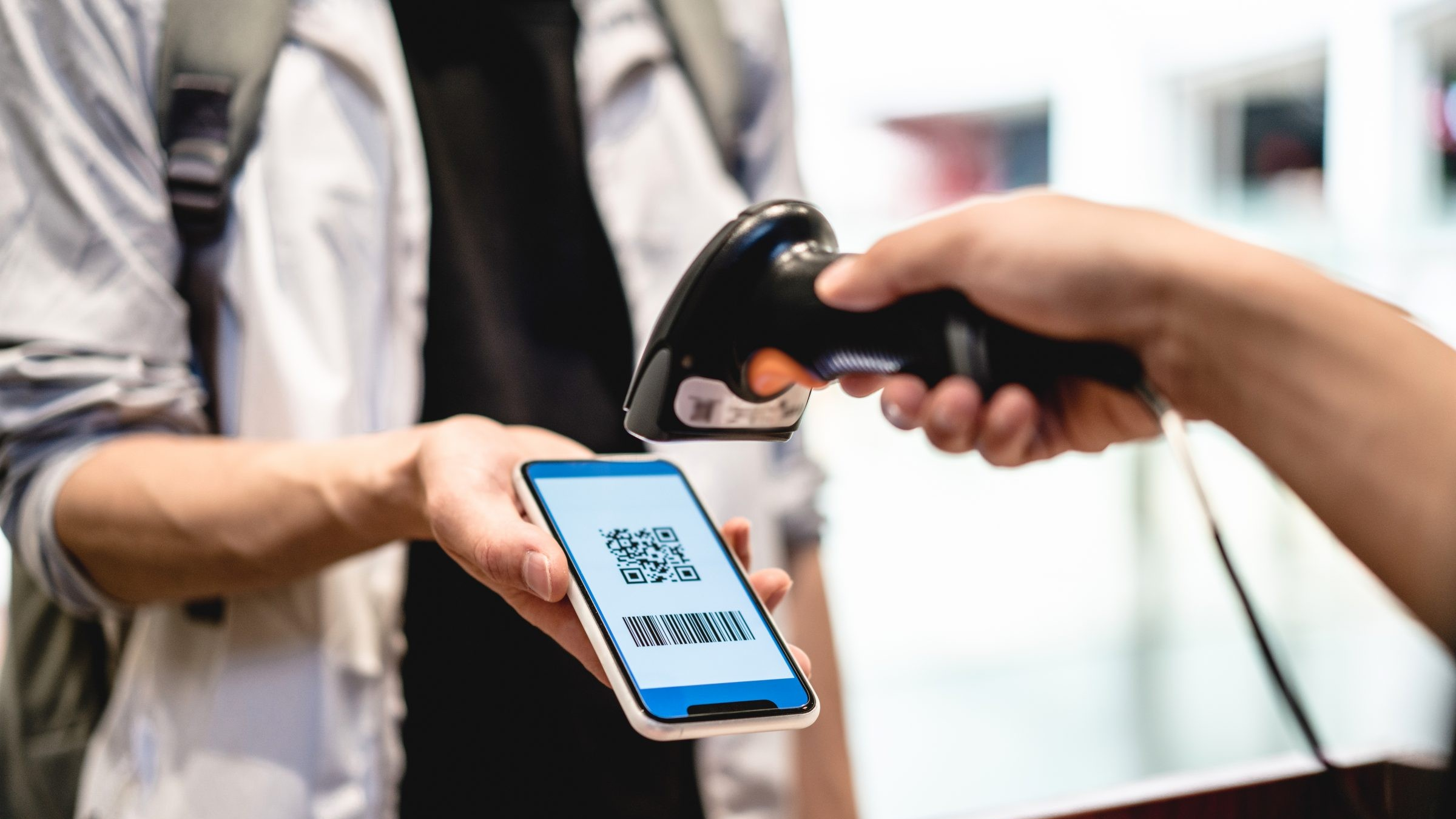
Scenario 1: Merchant Scans YOUR Payment Code
Common in supermarkets, chain stores, and restaurants.
In Alipay:
- Open Alipay
- Tap “Pay/Receive” (付钱/收钱)
- Display your QR/barcode
- Cashier scans it
In WeChat Pay:
- Open WeChat
- Tap “+” > “Money”
- Show your QR code
- Cashier scans it
Scenario 2: YOU Scan the Merchant's QR Code
Common with street vendors, small shops, and taxis.
In Alipay:
- Open Alipay
- Tap “Scan” (扫一扫)
- Scan merchant's code
- Enter amount if needed
- Confirm payment
In WeChat Pay:
- Open WeChat
- Tap “+” > “Scan”
- Scan merchant's code
- Enter amount
- Confirm payment
Payment Security
Always verify the merchant name and amount before confirming. Set up payment passwords and biometric authentication for added security.
VII. Beyond Basic Payments: Other Useful Features
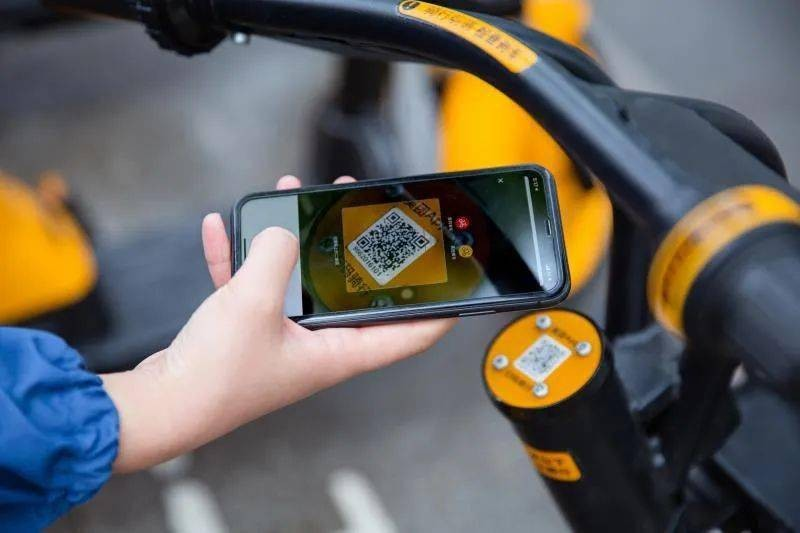
Mini Programs (小程序 – Xiǎochéngxù)
Lightweight apps within Alipay/WeChat that work with your payment setup:
Transportation
- DiDi Chuxing (China's Uber)
- Bike Sharing (Hello Bike, Meituan Bike)
- 12306 (Train tickets)
Lifestyle
- Meituan/Ele.me (Food delivery)
- Mobile Top-Up (For Chinese SIMs)
- Hotel/Ticket Booking
Note: Some mini-programs may require Chinese phone numbers or additional verification beyond what's needed for basic payments.
VIII. Troubleshooting Common Issues
| Issue | Solution |
|---|---|
| Card Linking Failure |
|
| Payment Declined |
|
| Language Barriers |
|
IX. Important Tips for a Smooth Experience
Before Travel
- Complete setup 1-2 weeks before departure
- Test with small transactions upon arrival
- Download offline translation apps
In China
- Carry a power bank (充电宝 chōngdiànbǎo)
- Have some RMB cash as backup
- Save emergency contact numbers offline
Key Phrases to Know
- “支付宝” (Zhīfùbǎo) – Alipay
- “微信支付” (Wēixìn Zhīfù) – WeChat Pay
- “我可以扫码吗?” (Wǒ kěyǐ sǎo mǎ ma?) – Can I scan the code?
- “现金” (Xiànjīn) – Cash (if payment fails)
X. Security Considerations

- App Security: Enable payment passwords and biometric authentication
- QR Code Safety: Only scan codes from trusted merchants
- Device Protection: Never use public devices for payments
- Transaction Monitoring: Regularly check payment history
Practical FAQ
Do foreign tourists need Alipay or WeChat Pay in China?
They are strongly recommended. Many restaurants, shops, attractions, taxis, and local services expect QR code payments, so mobile payment setup makes daily travel much smoother.
Can I just use an international credit card directly?
Sometimes, especially at hotels, airports, large malls, and some chains. But smaller vendors often prefer mobile payments, so direct card acceptance should be treated as a backup rather than your only plan.
What should I set up before arriving in China?
Install Alipay and WeChat, complete identity and card verification where possible, test your login, and keep at least one backup method such as another card or a small amount of RMB cash.
XI. Conclusion
Mastering Alipay and WeChat Pay transforms your China travel experience, letting you transact seamlessly like locals. While setup requires preparation, the convenience outweighs the initial effort.
Remember: This guide reflects payment conditions checked in May 2026. App screens, verification steps, supported cards, and fee rules can still change, so always follow the latest in-app prompts before confirming a payment.
More payment planning: After setting up Alipay and WeChat Pay, check how to link an international card, what payment methods work beyond mobile wallets, and when to carry RMB cash.

Enjoyed this article? Consider buying me a coffee to support more content like this!
💖 2 people have clicked to support this article.